> ## Documentation Index
> Fetch the complete documentation index at: https://dev.jup.ag/docs/llms.txt
> Use this file to discover all available pages before exploring further.
# Account Security
> Protect your account with two-factor authentication and review activity in the audit log.
Protect your account and review who did what.
## Two-factor authentication
Add two-factor authentication (2FA) from your account settings. Supported methods:
* an authenticator app (TOTP)
* email one-time codes
* backup recovery codes
2FA applies to email and password sign-in only. If you sign in with OAuth, 2FA is not applied, and an account that only uses OAuth cannot enable 2FA.
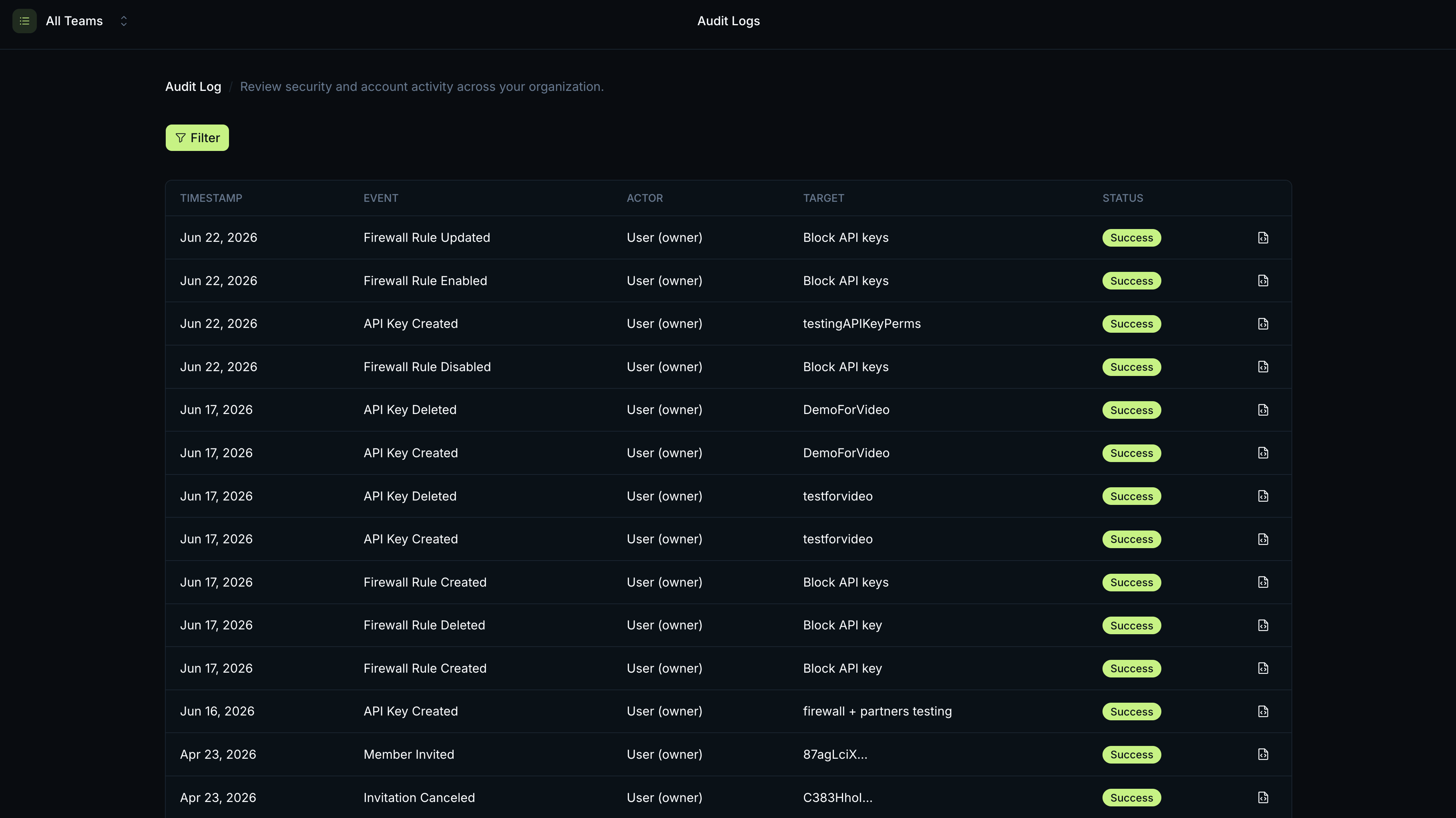
## Audit log
The audit log records who did what in your organisation. It covers 17 event types:
| Category | Events |
| :------------- | :--------------------------------------------------------------------------------------------------------------------------- |
| API keys | `api_key.created`, `api_key.deleted`, `api_key.renamed` |
| Plan | `plan.changed`, `plan.subscribed` |
| Payments | `payment.succeeded`, `payment.failed` |
| Members | `member.invited`, `member.removed`, `member.role_changed`, `member.left` |
| Invitations | `invitation.canceled` |
| Firewall rules | `firewall_rule.created`, `firewall_rule.updated`, `firewall_rule.enabled`, `firewall_rule.disabled`, `firewall_rule.deleted` |
Filter the log by event type to find a specific change. Sensitive metadata in each entry is redacted.
Most events are kept for **1 year**. Payment events are kept for **7 years**.
 ## Related
Roles and who can manage a team's resources.
Key changes are recorded in the audit log.
Rule changes are recorded in the audit log.
Per-request history, separate from the audit log.
## Related
Roles and who can manage a team's resources.
Key changes are recorded in the audit log.
Rule changes are recorded in the audit log.
Per-request history, separate from the audit log.